Register
 Login
Play on mobile like a pro: a practical guide
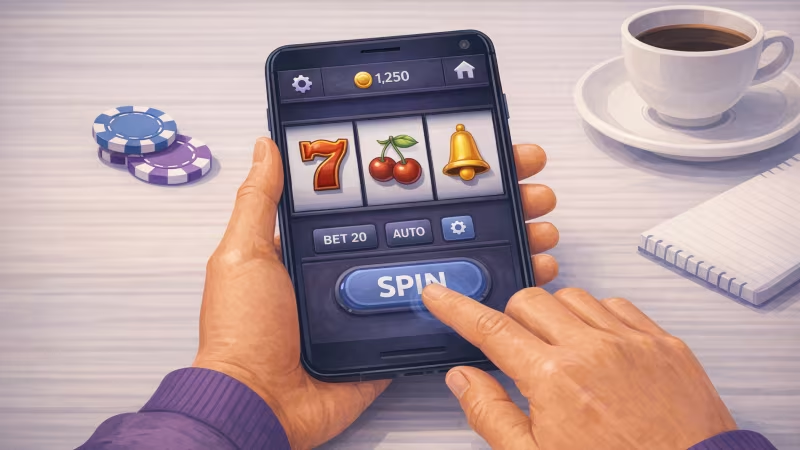
Image Source: Generated by Copilot
Mobile gaming has become one of the most popular ways to enjoy casino entertainment, and for good reason.
Modern smartphones are powerful, portable, and built for gaming on the go. The best way to play on mobile like a pro is to optimise your device, get comfortable with touch controls, and choose games that work well on smaller screens.
I used to think mobile gaming was simply desktop gaming squeezed onto a smaller display. After spending more time gaming on my phone, I quickly realised that a better experience comes down to preparation. A few changes to your settings, better screen organisation, and smart game choices can make a huge difference.
This is especially noticeable when playing online pokies, where visibility, responsiveness, and navigation all play a role in the overall experience. The good news is that you don't need the latest device or any technical expertise. A handful of practical steps can help make your next mobile gaming session feel much more enjoyable.
In summary: Set up your phone properly, choose mobile-friendly games, and build good gaming habits.
Step 1: Set up your phone before you play
The first thing I recommend is spending a few minutes getting your device ready for gaming. It might sound boring, but this is one of the easiest ways to improve your mobile gaming experience. A phone that's struggling with updates, low storage, or dozens of apps running in the background won't perform at its best.
Start by:
- Updating your device
- Updating gaming apps
- Closing unused apps
- Connecting to a reliable network
- Making sure your battery is sufficiently charged
Think of it like stretching before a workout. You can skip it, but things usually go better when you don't.
Step 2: Adjust your screen for better visibility
Your screen is where all the action happens, so it's worth getting it set up properly. One of the biggest mistakes players make is leaving every display setting on default. A screen that's too dark can make details difficult to see, while a screen that's too bright can be uncomfortable during longer sessions. Good visibility is particularly important when playing games at an online casino, where game information, balance details, and navigation menus all need to be easy to read on a smaller screen.
Consider adjusting:
| Setting | Benefit |
| Brightness | Easier viewing |
| Auto-lock | Fewer interruptions |
| Text size | Better readability |
| Notifications | Less distraction |
I also recommend turning off non-essential notifications before gaming. Nothing ruins a good moment quite like a random delivery update taking over your screen.
Step 3: Master your touch controls
Playing on a touchscreen feels different from using a mouse or controller.
Many players rush straight into a game and start tapping away without paying attention to button locations or menu layouts. A little patience goes a long way here.
Take a few moments to:
- Familiarise yourself with the interface
- Locate important buttons
- Understand menu navigation
- Practise common actions
- Adjust control settings if available
I always find that spending a minute getting comfortable with a game's layout saves a lot of accidental taps later. Nobody enjoys opening the wrong menu five times in a row.
A handy mobile gaming tip
Try using both hands whenever possible. One hand can handle navigation while the other focuses on game actions. It often feels much more comfortable than trying to do everything with a single thumb.
Step 4: Choose games that work well on mobile
Not every game feels equally comfortable on a smartphone. The best mobile experiences usually come from games designed with touchscreens and smaller displays in mind. When playing at an online casino, look for games that feature large buttons, clean layouts, and easy-to-read information.
Mobile-friendly games often offer:
| Feature | Advantage |
| Large buttons | Easier tapping |
| Clear graphics | Better visibility |
| Simple menus | Faster navigation |
| Mobile design | Better usability |
If a game looks cluttered on your phone, there's a good chance it will feel cluttered while playing too. Many online casinos, like Spin Casino, also categorise games by device compatibility, making it easier to identify titles that perform well on smartphones and tablets.
How do you know a game is mobile-friendly?
Look for games that:
- Load quickly
- Scale correctly to your screen
- Have readable text
- Feature simple navigation
- Allow easy access to settings
The right game can make mobile gaming feel much more enjoyable.
Step 5: Improve battery life and performance
Nothing ends a gaming session faster than a low-battery warning. Fortunately, you don't need magic powers to help your battery last longer. A few practical habits can make a noticeable difference.
Try the following:
- Lower brightness slightly
- Close unused apps
- Disable unnecessary background activity
- Keep available storage space on your phone
- Avoid gaming while your device is overheating
Phones work harder than many people realise. Giving them fewer tasks to juggle can help maintain consistent performance. If you're switching between different games at an online casino, keeping background apps to a minimum can help your device stay responsive for longer.
Don't ignore device temperature
If your phone starts feeling warmer than your afternoon coffee, it might be worth taking a short break. Heat can affect both battery life and performance.
Step 6: Create a comfortable gaming setup
Professional athletes have game-day rituals. Mobile players should have a few habits of their own.
Comfort plays a bigger role than many people expect. It's difficult to enjoy a gaming session if your neck is complaining, your wrists are tired, and you're squinting at fingerprints covering the screen.
A comfortable setup includes:
- Good lighting
- Proper posture
- A clean screen
- A comfortable grip
- Regular breaks
I always keep a soft cloth nearby for quick screen cleans. It sounds like a tiny detail, but a smudge-covered screen can quickly become annoying.
Quick recap: how to play on mobile like a pro
If you want to play on mobile like a pro, focus on these six steps:
- Set up your phone before gaming
- Adjust your screen settings
- Learn your touch controls
- Choose mobile-friendly games
- Manage battery life and performance
- Create a comfortable gaming environment
The beauty of mobile gaming is its convenience. With a few smart adjustments and good habits, your phone can deliver a gaming experience that feels comfortable, responsive, and enjoyable. You don't need a degree in technology – just a little preparation, a touch of patience, and a willingness to fine-tune your setup.
Author’s Note: Mobile gaming experiences can vary depending on your device, settings, and preferred games. The suggestions in this guide come from my own experience and are intended to help you get the most from your mobile gaming sessions.